
Here in this post, you can Free Download CreativeMarket – Underwater Photoshop Effect 1814202 compress files through the below link. how to make an underwater effect in PS? Just take a suitable photo, for example, jump, or with flying hair, mark it on the smart layer of this template ‘Underwater PS Effect’, select the appropriate texture and you’re done! You can also add reflection in waves, bubbles, rays, colored gradients, and a shade of water. You Can Also Download Watercolor Photoshop Effect.

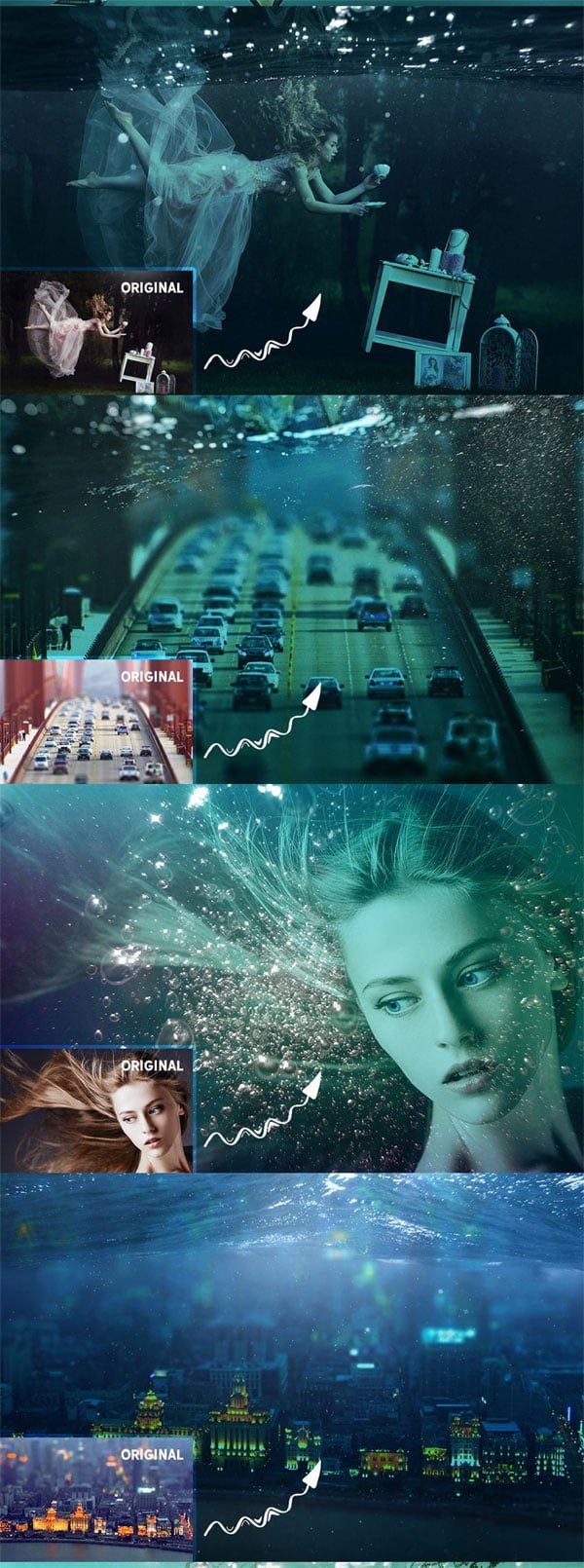
Before And After Images of CreativeMarket – Underwater Photoshop Effects:
Below I have shared with you (Before And After) images after applying Underwater PS Effects. you can see those images to get a better idea before downloading. You Can Also Download Abstract Watercolor Photoshop Effect.
WHAT YOU GET:
- 4000 px template
- 2000 px template
- 3 Shade of water
- 4 Rays textures
- 7 Water textures
- 5 Bubbles textures
- 5 Color tone overlays
Zip File Password: freegfx4u.com






