
Here in this post, you can Free Download Abstract Line Photoshop Action Q36DNTB compress files through the below link. After the action finishes rendering, a well-organized layer structure is created. You have a unique opportunity to create an amazing effect. Each group of planes, lines, and planes is appropriately named to create a clutter-free working environment for you. You can change any color of the line. Use them and try to experiment with all the different levels. You Can Also Download Lines Effect Photoshop Action.
Hide or show the layer, change the color of the lines to enhance the effects. You can also add and change light and shadow on your photo. You can create unlimited effects and only have a few minutes to experiment with layers, saving you time. IMPORTANT! This promotion is for portrait photography only. Avoid using low-resolution images. For best results, use 1500px — 3000px in Wide/Tall colors. This action has been tested and works in all Photoshop languages. Works with Photoshop CS6, CC, CC 2015.5, CC 2023+ You Can Also Download Fresh Line Art Photoshop Action.
Before And After Images of Abstract Line Photoshop Action:
Below I have shared with you (Before And After) images after applying Abstract Line PS Action. you can see those images to get a better idea before downloading.
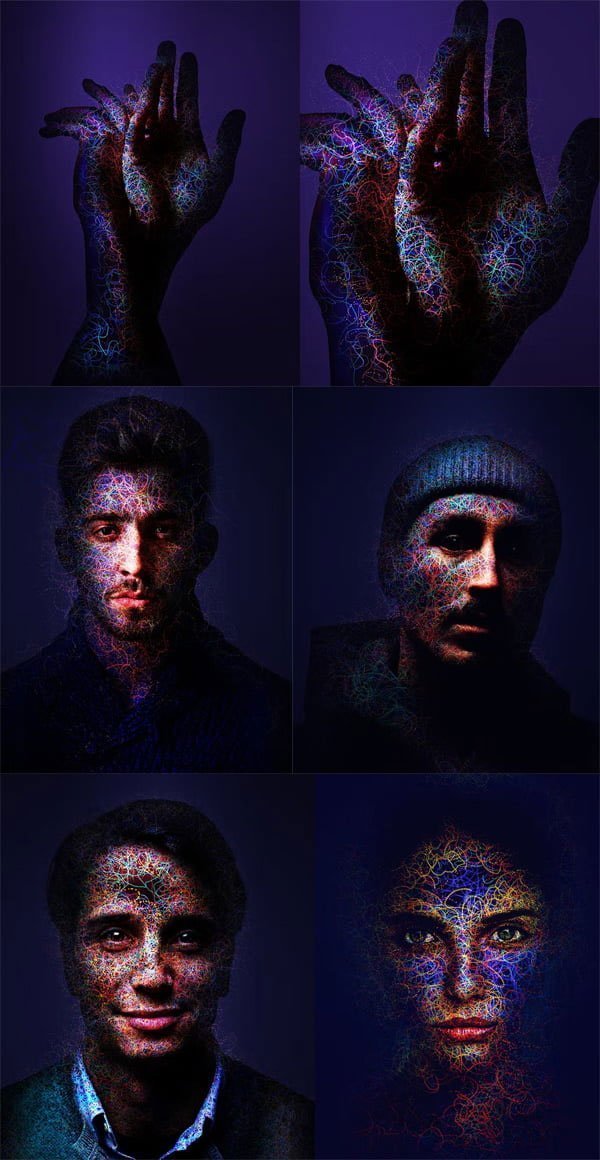
functions:
- Easy to use and fast results
- The layers are adjustable
- Very well organized layer structure, color coded and grouped
- Including color presets, many customization options, countless variations
- Light, shadow and color settings
The best results
For best results, it is recommended to use high-resolution photos in the range of 1500px — 3500px The optimal range is between 2000 pixels and 4500 pixels. The detail and clarity of the effects created by the actions decrease the smaller your photo is. Use these actions and save the most time and get a professional result.
Zip File Password: www.Luckystudio4u.com






