
Learning how to properly track objects—whether it is a piece of text, a burst of fire, or something even more complex—is a total game changer for your editing career. It is one of those core skills that instantly makes your work look like a high-end VFX production rather than just a basic video. If you are serious about moving beyond being just a videographer and want to start mastering professional effects, you should definitely dive into our variety of video courses to build a solid foundation. This specific class is designed to show you exactly how to handle different tracking scenarios so you can take on more advanced projects. By the end of this training, you will have the confidence to stick elements into your scenes so perfectly that they look like they were always there, giving your videos that professional edge everyone is looking for.
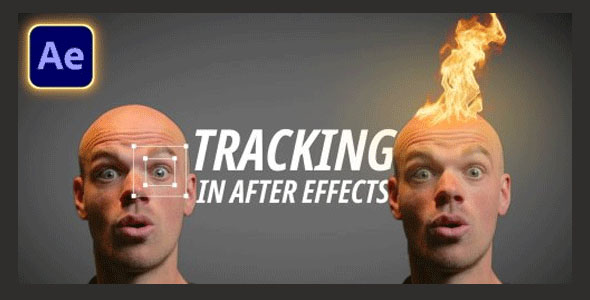
Overview of Tracking In After Effects Tutorial
In this training, I break down the confusion around the different tracking tools in After Effects and show you exactly when to pick each one. We start with the basics of moving track positions and then move into more advanced stuff like handling rotation and scale shifts. I have been teaching visual effects for over two years, and I have seen firsthand how these specific skills help editors get hired for bigger, better-paying projects. I am giving you the exact same scenes I use in my work so you can follow along step-by-step, or you can even bring in your own footage to practice the techniques as we go.
We also dive deep into stabilizing shaky footage using the motion stabilizer and my personal tips for making fiber stabilizers look natural. The real highlight for many will be the 3D camera tracker section. I will show you how to take that tracking data and move it into Cinema 4D, allowing you to place actual 3D objects right into your live-action scenes for an incredible final look.
Main Features
- Detailed guide on when to use each specific tracker for the best results.
- Step-by-step instructions on tracking position, rotation, and scale.
- Professional techniques for using the Motion Stabilizer on shaky shots.
- Advanced tips for improving the look and feel of Fiber Stabilizers.
- Complete walkthrough of the 3D Camera Tracker for complex scenes.
- Workflow guide for importing AE tracking data into Cinema 4D.
- How to properly add and align 3D objects within a real-world scene.
- Includes actual project files and scenes to practice with.
- Taught by an experienced VFX artist with two years of training history.
- Perfect for editors wanting to transition into high-end VFX and 3D work.
Zip File Password: freegfx4u.com
Conclusion
Mastering tracking is the quickest way to move from a regular videographer to a professional VFX artist. This course gives you the hands-on skills to handle everything from simple text tracks to complex 3D camera data. Start practicing these techniques today and see how much they improve your professional video projects.






