
If you have ever felt stuck trying to make your titles look professional, this Master Type in After Effects course is exactly what you need to level up. I know how frustrating it can be to get that perfect text movement, so finding a tutorial that actually breaks down the “why” behind the design is a huge win. To get the most out of these lessons, you might want to grab some of our latest After Effects project files to practice your new skills on real-world layouts. This course doesn’t just show you where the buttons are; it actually walks you through the creative secrets that professional motion designers use to make their typography stand out. It is a fantastic way to stop guessing and start creating high-quality text animations that look polished and intentional for every video you edit.
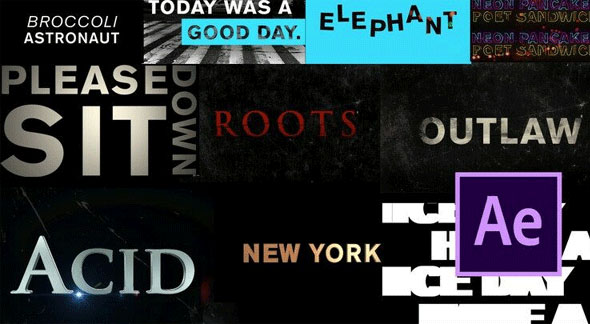
Overview of Master Type in After Effects Tutorial
This course kicks off with a solid look at the essential tools you need for typing within After Effects. Instead of overwhelming you with every single menu, I focus on the specific tools that actually make a difference in your daily workflow. After the basics, we dive into eight different examples that cover a wide range of styles and animation techniques. I really wanted to pull back the curtain on my own tricks and secrets, showing you exactly how I handle the design phase before even touching a keyframe. It is a hands-on approach that builds your confidence as you move from simple titles to complex, dynamic motion graphics.
To make sure you really get the hang of it, I have included the project files for every example. This means you can open up my actual work and see exactly how the layers are set up while you follow along. It is a much faster way to learn than just watching a screen, as you can experiment with the settings yourself.
Main Features
- Comprehensive overview of the core typography tools in After Effects.
- 8 unique project examples covering different styles of type animation.
- Professional design secrets and animation tricks are shared throughout the lessons.
- Hands-on learning with the actual project files included for download.
- Step-by-step guidance that is easy to follow for any skill level.
- Focus on practical techniques that you can use in your daily editing work.
- Detailed look at how to properly structure text layers for better motion.
- Covers both the design principles and the technical animation steps.
- Clear explanations that avoid overly technical or robotic jargon.
- Perfect for editors looking to specialize in high-end motion typography.
Conclusion
Mastering type in After Effects is one of the best ways to improve the overall quality of your videos. With 8 real-world examples and project files included, this course gives you the tools to animate text like a pro. Start learning today and give your motion graphics a much-needed professional edge.






