
Creating a standout digital portrait is about more than just drawing lines; it’s about mastering light, texture, and character personality. In this class, we move away from guesswork and follow a professional workflow to build a stylized character from scratch. Whether you’re a beginner or looking to refine your rendering, this course offers practical techniques used by pro illustrators today. Before we dive into the painting process, if you want to expand your creative toolkit even further, feel free to explore our full library of Premium Video Courses for more expert-led training. By downloading the compressed files for this Skillshare class below, you’ll gain access to a step-by-step guide that turns a simple sketch into a gallery-ready portrait. Get ready to transform your digital art and learn the secrets of professional character rendering in Photoshop.
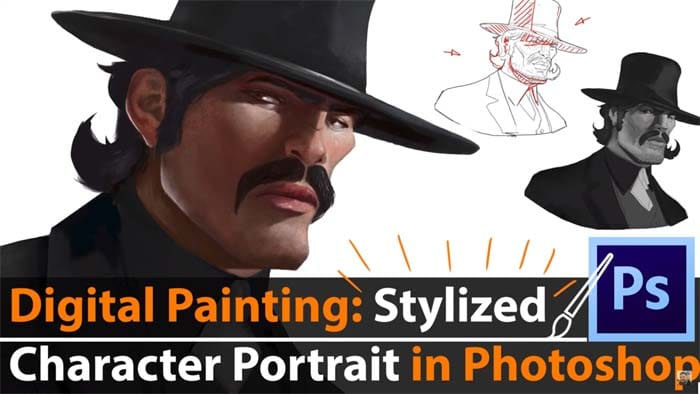
Mastering Stylized Character Portrait Painting in Photoshop
The course begins with the most important step: the sketch. You will learn how to plan your character’s features and set a solid foundation. Instead of jumping straight into color, we use a greyscale “blocking” method. This technique is a game-changer because it allows you to focus entirely on lighting and depth without getting distracted by color choices. It’s the secret to making your characters look three-dimensional and realistic.
Once your greyscale base is solid, you will learn how to colorize it seamlessly. We will go beyond basic brushes to explore texture and final rendering, pushing the portrait until it looks polished and professional. By following this workflow, you won’t just finish a tutorial; you’ll create a high-quality piece of art that is perfect for your professional portfolio. If you spend enough time on the details shown in this class, the results will be truly impressive.
Lessons in This Class:
- Intro: Getting started.
- References: Finding the right inspiration.
- Drawing the Character: The sketching phase.
- Light Planning: Setting the mood.
- Greyscale Blockin: Building the form.
- Finalizing the Greyscale: Adding depth.
- Colorizing the Character: Bringing it to life.
- Refining Light & Shadows: Polishing the details.
- Adding Textures: The final professional touch.
- Finalizing the Character Portrait: Wrapping up the piece.
Zip File Password: freegfx4u.com
Conclusion
Digital painting becomes much easier when you have a proven system to follow. This course bridges the gap between a rough idea and a finished, professional portrait. By mastering the greyscale-to-color method and learning how to apply realistic textures, you’ll be able to create stunning characters with confidence. Start your journey today and take your digital art to the next level.






