
If you have been posting static photos on your feed and wondering why they aren’t getting much traction, it might be time to switch things up with motion. Instagram stories are a huge part of how people engage with brands now, and having your designs move is one of the best ways to grab someone’s attention before they swipe past. I’ve found that even a little bit of animation can make a massive difference in how professional your profile looks. If you’re looking to sharpen your design skills even more, you should check out the other video courses I have available on the site. This class is designed to show you that you don’t need complex video software to make high-quality stories; Photoshop is actually a powerhouse for simple, effective animation that really helps you stand out from the crowd.
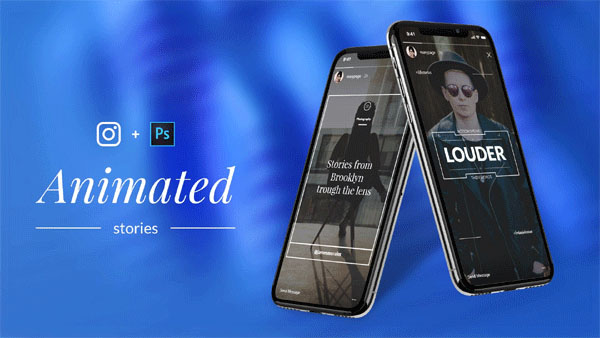
Overview of Animated Instagram Stories in Photoshop
In this class, we dive straight into what makes an animated story work and how you can tailor these designs specifically to your niche, whether you are a blogger, a business owner, or a freelancer. We start right at the beginning by creating a fresh design from a completely blank canvas, so you can see the whole creative process unfold. I’ll show you how to pick the right layouts and typography that look good on a mobile screen. Once the design is ready, I walk you through the animation timeline in Photoshop, which is surprisingly easy to use once you know the basics. You will learn how to bring your elements to life without making things look cluttered.
Finally, I’ll guide you through the best way to export your work so it looks crisp when it finally hits the app. We even cover the uploading process to make sure your hard work doesn’t lose quality during the transfer. It’s a complete start-to-finish guide that takes the mystery out of motion graphics and helps you start creating content that people actually want to watch.
Main Features
- Learn the fundamentals of why animated stories work better for engagement.
- Step-by-step guide on creating a custom design from scratch in Photoshop.
- Easy-to-follow animation techniques using the Photoshop timeline feature.
- Niche-specific tips to help you design content that fits your personal brand.
- Full tutorial on the best export settings for high-quality Instagram video.
- Instructions on how to properly upload your finished designs to the app.
- No complex video editing software needed—just basic Photoshop skills.
- Focuses on clean, modern design trends that attract more followers.
- Practical lessons that you can apply to your stories immediately.
- Perfect for social media managers, influencers, and creative hobbyists.
Zip File Password: freegfx4u.com
Conclusion
Creating animated stories is a simple way to give your Instagram a major professional boost. By following this Photoshop guide, you can start making eye-catching content that really connects with your followers. Start designing today and watch your social media engagement grow with every new post.






