
Here in this post, you can Free Download Burn 2 Photoshop Action DP4MCA compress files through the below link. On our website FreeGFX4u.com, you will find a lot of premium graphic assets free such as Free Courses, Photoshop Mockups, Lightroom Presets, Photoshop Actions, Brushes & Gradient, Photoshop Overlays, Videohive After Effect Templates & Projects, Fonts, Luts, Plugins, and much more. FreeGFX4u.com is a free graphics content provider website that helps beginner graphic designers as well as freelancers who can’t afford high-cost courses and other things. You Can Also Download Burning Effect Photoshop Action.

Burn Action is the second version of Burn Action. Here you can draw the area where you would like to see the fire. In this effect, it uses photorealistic flames, smoke, and glowing particles. After the action finishing work, you can change the colors of any element, as well as the brightness and contrast of the flame. And the built-in setting helps you add color tone to the entire image to create an amazing result. You Can Also Download Firy – Photoshop Action.
Before And After Images Burn 2 Photoshop Action:
Below I have shared with you after (Before And After) images after applying Burn 2 Photoshop Action. you can see those images to get a better idea before downloading.
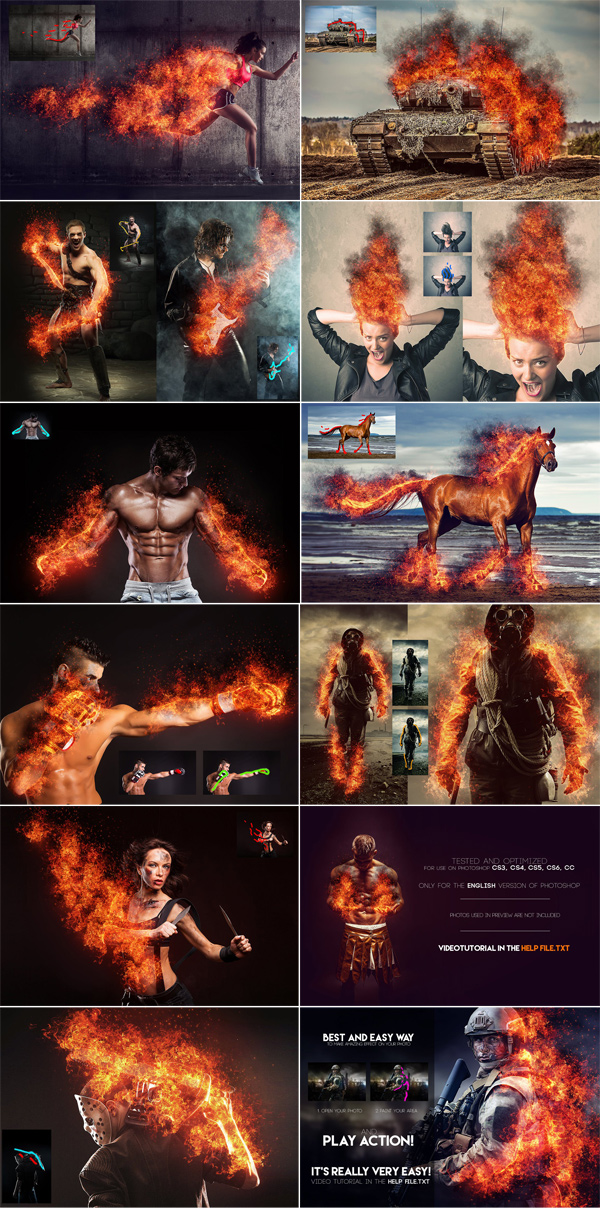
This action was created and optimized for use in Photoshop CS3, CS4, CS5, CS6, CC, and FOR THE ENGLISH VERSION OF PHOTOSHOP ONLY. Need to change the language of your version?! How to change language in Photoshop watch on youtube. The link is under the video tutorial.
How to configure Photoshop to work with actions.
1. Make sure you are using the English version of Photoshop.
Each action has been created and optimized to work with the English version of Photoshop only, so please make sure you are using this version. Otherwise, don’t worry: you can change the language of your version of Photoshop to English (and back again)
2. Use RGB Mode and 8 Bit color.
To check these settings, go to Image->Mode and check the “RGB Color” and “8 bits/channel”.
3. Make sure the “Add ‘copy’ to copied layers and groups” option is enabled.
This option only applies to CS5 and later versions of Photoshop. In the “LAYADS” panel, click the menu icon, go to “Panel Options…” and make sure “Add ‘copy’ to copied layers and groups” is enabled.
4. Use a photo with 72dpi or higher.
If you are using a photo that is less than 72dpi, the action will not work correctly. To fix this, go to Image->Image Size and increase the resolution value.
5. Set the Opacity of the brush to 100%.
Set the Opacity of the brush to 100%. Select the “Brush Tool” and move the Opacity slider to 100%.
How to combine my actions?
- open your photo
- play the first action
- Save the result as an image
- Open the previously recorded image
- play the second action
A detailed video tutorial link for this action is included in the Help file. txt
Zip File Password: freegfx4u.com






